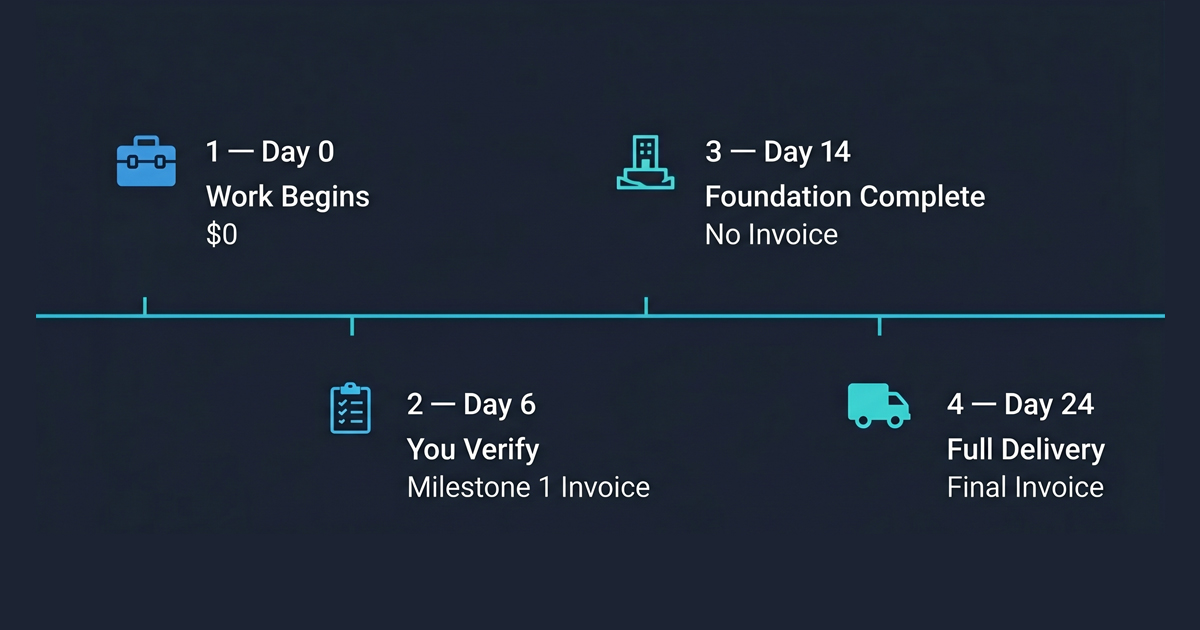
GEOAEO payment structure diagram showing four milestone stages: Day 0 start with no payment, Day 6 first invoice after verification, Day 14 foundation complete no payment, Day 24 final invoice
How does GEOAEO's payment structure work?
GEOAEO uses a Two-stage milestone-gated billing structure on every plan. Day 0: work begins and you pay nothing. Day 6: Phases 1 and 2 are verified by you in Google's Rich Results Test — then Milestone 1, the first invoice, is issued. Day 14: Foundation phases are complete with all proof documentation delivered — no payment at this stage. Day 24: all contracted phases are delivered and the final invoice, Milestone 2, is issued. Every invoice follows client-verified results. No invoice is sent before you have confirmed the work yourself in your own browser..
GEOAEO uses a two-stage milestone-gated billing structure on every plan, designed so that every invoice follows client-verified results rather than preceding them.
On Day 0, work begins immediately after the onboarding form is completed. You have paid nothing. On Day 6, Phase 1 and Phase 2 are complete. You verify the results yourself using Google's Rich Results Test in your own browser. Only after that verification does GEOAEO issue Milestone 1, the first invoice.
On Day 14, the Foundation phases — Phases 1 through 4 — are fully delivered and documented. No invoice is issued at this stage. On Day 24, all contracted phases are complete. The final invoice, Milestone 2, is issued.
No payment is ever requested before the client has confirmed measurable results themselves. This is how every GEOAEO engagement works by design.